Callback requests
Callback requests at a dealership: what Cleo writes down, who gets the task and when it turns red
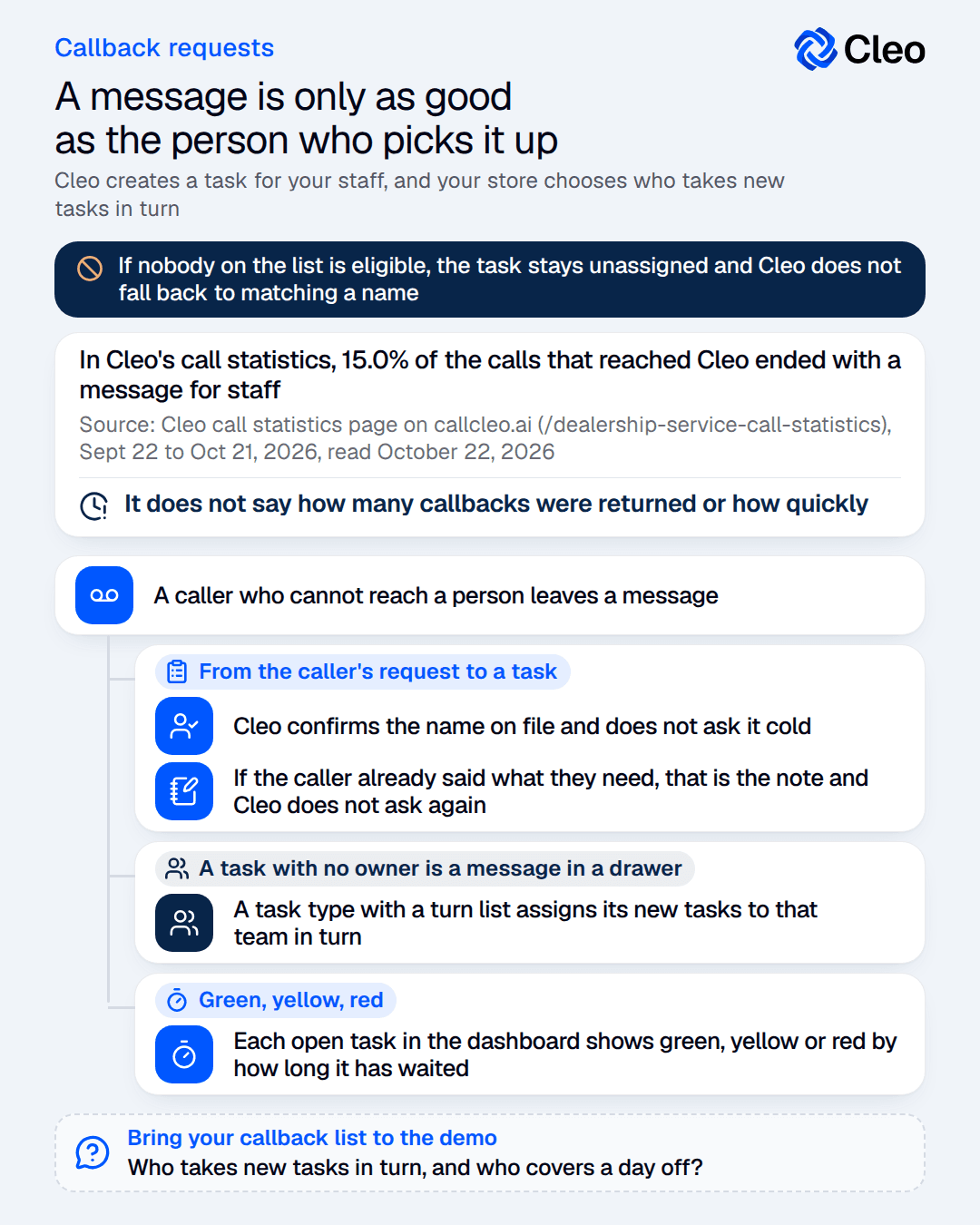
A caller who cannot reach a person leaves a message, and a message is only as good as the person who picks it up. Cleo takes the caller’s name, number and note, creates a task for your staff, and your store decides who owns it, who is told and how long it can wait before it turns red in the dashboard.


The short answer
Does a callback request from an AI phone agent end up with someone who owns it?
It can. Cleo creates a task for your staff with what the caller said, and your store sets task types, who is notified for each type, who takes new tasks in turn and when a task escalates.
The task goes to your staff, and a person works it, so the standard that matters is the one you set for who works the task and by when.
From call to task
Five steps from the caller's request to a task.
Name.
If a customer record was found at the start of the call, Cleo confirms the name on file and does not ask it cold. Otherwise it asks for a name.
Callback number.
When the name on file was confirmed, the number the caller is on counts as confirmed. Otherwise Cleo asks whether it is the right number to call back, and uses another number if the caller gives one.
Note.
If the caller already said what they need, that is the note and Cleo does not ask again.
The task.
Cleo creates it with a description, a short title and a task type set up by your dealership.
Urgent.
When the caller says the request is urgent or time-sensitive, or is frustrated, Cleo can mark the task urgent, and the dashboard shows an urgent marker on it.
How many calls end this way
A message for staff is one of the common outcomes.
In Cleo's call statistics, 5,405 of the 36,070 calls that reached Cleo (15.0%) ended with a message for staff.
That is a count of calls logged that way across the lines in the sample. It does not say how many callbacks were returned or how quickly.
Source: Cleo call statistics page on callcleo.ai, Sept 22 to Oct 21, 2026, read October 22, 2026
Who gets the task
A task with no owner is a message in a drawer.
Your dealership sets up the task types and chooses, for each type, who is notified and who takes new tasks in turn. In the dashboard's Tasks settings, a manager sees a Notifications button and an Assignment button on each type.
A task type with a turn list assigns its new tasks to that team in turn. If nobody on the list is eligible, the task stays unassigned and Cleo does not fall back to matching a name.
For a type with no turn list, Cleo reads the call transcript and assigns the task only when the caller named the person who should handle the follow-up. It is told that names in a transcript may be approximate.
The person who receives a task gets an assignment email, unless they have turned assignment notifications off or have already acknowledged the task.
Review the turn list each month, so that nobody who is away or has left your store is on it.
After the call
What your team gets, and what to decide first.
01 · Green, yellow, red.
Each open task in the dashboard shows green, yellow or red by how long it has waited. Your store sets the yellow and red timers, and red has to be later than yellow. A completed task shows no color.
The wait is counted in business hours when the store’s opening and closing hours are known, and in plain clock minutes when they are not.
The timers only color the task. Someone still has to look at the list, so decide who checks it first each morning. Pick the yellow and red timers from how fast a good callback happens at your store, not from a guess.
02 · One task per type, written from the whole call.
After an inbound call, a review sets the final task state. If tasks were created during the call, they are rewritten into one task per task type, with details the caller gave later, such as a corrected phone number.
If no task was created, the review adds one only when the caller’s goal went unmet, for example an abandoned booking or a promised follow-up.
03 · Five questions for your service manager.
1. Which task types does your store need, and who is notified for each?
2. Who takes new tasks in turn, and who covers a day off?
3. How long may a callback wait before it should turn yellow, and red?
4. Who looks at the task list first each morning?
5. What should a caller be told about when to expect the call?
FAQ
Still have questions?
Who calls the customer back?
A callback request creates a task for your staff, and a person on your team works it.
Do all callbacks go to one person?
What if nobody on the turn list is eligible?
How does the owner find out?
Does Cleo make a task out of every message?
It creates a task when the call needs a follow-up, and a review after the call consolidates the tasks of that call into one per task type.
Contact
Bring your callback list to the demo.
Book a demo, tell us who owns a callback at your store today, and hear what Cleo writes for them.
